




USB-C for 8K Video Transmission & DisplayPort Alt Mode Deep Dive 2026
Transmitting 8K video over USB-C Cable is one of the most demanding applications for signal integrity, bandwidth, and cable construction. DisplayPort Alt Mode 2.1—the latest specification supported over USB-C—enables up to 8K @ 60 Hz with HDR over a single cable, but only when every link in the chain meets strict electrical and protocol requirements. This guide explains how DisplayPort Alt Mode works, what cable specifications are required for 8K, common failure modes, and how to select the right USB4 Cable for professional video workflows.
8K video at 60 Hz (10-bit HDR) requires approximately 48.4 Gbps of raw bandwidth. DisplayPort 2.1 over USB-C uses up to 4 lanes at HBR3 (8.1 Gbps/lane) with DSC 1.2a compression to fit within the available 80 Gbps (Thunderbolt 5) or 40 Gbps (Thunderbolt 4 / USB4) channel. This guide covers cable requirements, Alt Mode pin assignments, DSC compression, and real-world deployment considerations for 8K video over USB-C.

DisplayPort Alt Mode Fundamentals
DisplayPort Alt Mode allows a USB-C connector to carry native DisplayPort signals alongside USB data and power delivery. The USB-C connector has 24 pins; in DisplayPort Alt Mode configuration, up to 4 differential pairs (lanes) can be reallocated from USB data to DisplayPort. There are two main configurations:
- Config 1 (2-lane DP): 2 lanes for DisplayPort, 2 lanes remain for USB 3.2 / USB4 data. Maximum resolution: 4K @ 60 Hz without compression.
- Config 2 (4-lane DP): All 4 lanes assigned to DisplayPort. USB 2.0 data still available. Required for 8K @ 60 Hz and multi-display setups.
For Thunderbolt 5 Cable connections, the DisplayPort signal is tunneled through the Thunderbolt protocol, which adds additional latency (~10 ns) but provides better electrical isolation and longer reach (up to 2 m passive, 50 m active optical).
Bandwidth Requirements for 8K Video
8K resolution (7680 x 4320) at 60 Hz with 10-bit color depth requires significant bandwidth. The following table compares uncompressed and compressed bandwidth needs:
| Video Mode | Uncompressed Bandwidth | With DSC 1.2a | Min. USB-C Speed |
|---|---|---|---|
| 8K @ 30 Hz (10-bit) | 24.2 Gbps | ~8 Gbps | USB 3.2 Gen 2 (10 Gbps) |
| 8K @ 60 Hz (10-bit) | 48.4 Gbps | ~16 Gbps | USB4 (40 Gbps) or TB5 (80 Gbps) |
| 8K @ 60 Hz (12-bit) | 58.1 Gbps | ~20 Gbps | Thunderbolt 5 (80 Gbps) |
| Dual 8K @ 60 Hz | 96.8 Gbps | ~32 Gbps | Thunderbolt 5 (80 Gbps) |
Display Stream Compression (DSC) 1.2a is visually lossless at 3:1 to 4:1 compression ratios. All modern GPUs (NVIDIA RTX 40-series, AMD Radeon RX 7000, Intel Arc) and display controllers support DSC, making 8K @ 60 Hz feasible over a single USB 3.2 Cable or USB 4.0 Cable with DisplayPort Alt Mode 2.1 support.
Cable Construction Requirements for 8K
Differential Pair Impedance Control
For 8K video, the four differential pairs in the USB-C Cable must maintain 100 Ω ± 5 Ω differential impedance across the entire cable length. Impedance discontinuities cause signal reflections that manifest as sparkle, dropouts, or complete link failure. EPR cable and USB4 cables from Eilinks Electronics are 100% tested with a TDR (Time Domain Reflectometer) to verify impedance continuity before shipment.
Insertion Loss and Return Loss
At 8.1 Gbps per lane (HBR3), the maximum allowed insertion loss for a 2 m passive cable is 6.5 dB at 4 GHz (Nyquist for 8 Gbps). Cables that exceed this loss budget will fail to train the link at 8K resolution. Active optical Thunderbolt 4 Cable extend this to 50 m by converting the electrical signal to optical at the transmitter and back at the receiver, completely eliminating insertion loss from copper resistance.
EMI Shielding for Video Stability
8K video is particularly sensitive to EMI because display controllers use very low voltage differential signaling (LVDS / V-by-One HS). Inadequate shielding causes “snow” or flicker in the image. Quad-shielded cables with individual pair shields and an overall braid (coverage > 85%) are mandatory for professional 8K installations. USB 3.0 Cable and USB 2.0 Cable assemblies not designed for video should never be used for 8K transmission regardless of advertised bandwidth.
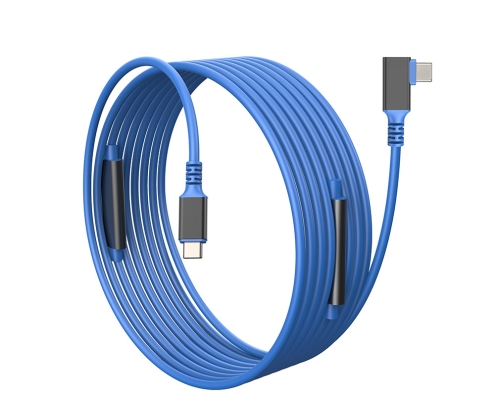 USB-C Cable for video transmission” class=”ei-article-img” loading=”lazy”>
DisplayPort Alt Mode 2.1: What’s New
DisplayPort 2.1 (released 2022) increased the maximum link rate to 13.5 Gbps per lane (UHBR13.5) and introduced support for even higher resolutions over USB-C. Key improvements relevant to 8K video:
- UHBR (Ultra High Bit Rate) 13.5: 54 Gbps total uncompressed bandwidth over 4 lanes — enough for 8K @ 60 Hz without DSC on high-end displays
- Panel Replay: Reduces power consumption for static content by only transmitting changed regions of the frame
- Improved link training: Faster and more robust link establishment, especially with long passive cables
- Backward compatibility: DP 2.1 sources work with DP 1.4 displays via fallback to HBR3 (8.1 Gbps/lane)
Common 8K-over-USB-C Failure Modes and Troubleshooting
| Symptom | Likely Cause | Solution |
|---|---|---|
| “No signal” at 8K but works at 4K | Cable exceeds insertion loss budget | Use certified USB4 or TB5 cable; keep length ≤ 2 m passive |
| Intermittent flicker at 8K | EMI from nearby power cables | Use quad-shielded cable; route away from power |
| 8K available but limited to 30 Hz | DSC not supported by source or sink | Enable DSC 1.2a in GPU settings; update display firmware |
| Works on TB4 but not USB4 port | DisplayPort Alt Mode not supported | Verify port supports DP Alt Mode (not data-only USB-C) |
| Image corruption / sparkle | Impedance discontinuity in cable | Replace with TDR-tested cable from certified supplier |
Conclusion
8K video over USB-C is technically demanding but fully achievable with the right cable and source/sink combination. Ensure your cable supports DisplayPort Alt Mode 2.1, is certified for USB4 40 Gbps (or Thunderbolt 5 80 Gbps for future-proofing), and has been tested for 8K signal integrity. Eilinks Electronics manufactures a complete range of USB4 Cable, Thunderbolt 5 Cable, and active optical Thunderbolt 4 Cable assemblies, all with full DisplayPort Alt Mode 2.1 compliance testing and 8K video certification. Contact our technical team for sample cables and signal integrity reports for your specific 8K deployment.
Deploying 8K video over USB-C? Get certified cables with full SI reports.
